
Capture your public pages
Run a baseline of published posts and pages, then let the weekly schedule capture the next inventory.

WordPress tools
Weekly public URL inventories. Clear change reports. A schedule you can inspect.
Weekly and manual scans included
Reports stay in your WordPress database
WordPress 6.9 or later · PHP 8.2 or later
Included features
Run a baseline of published posts and pages, then let the weekly schedule capture the next inventory.
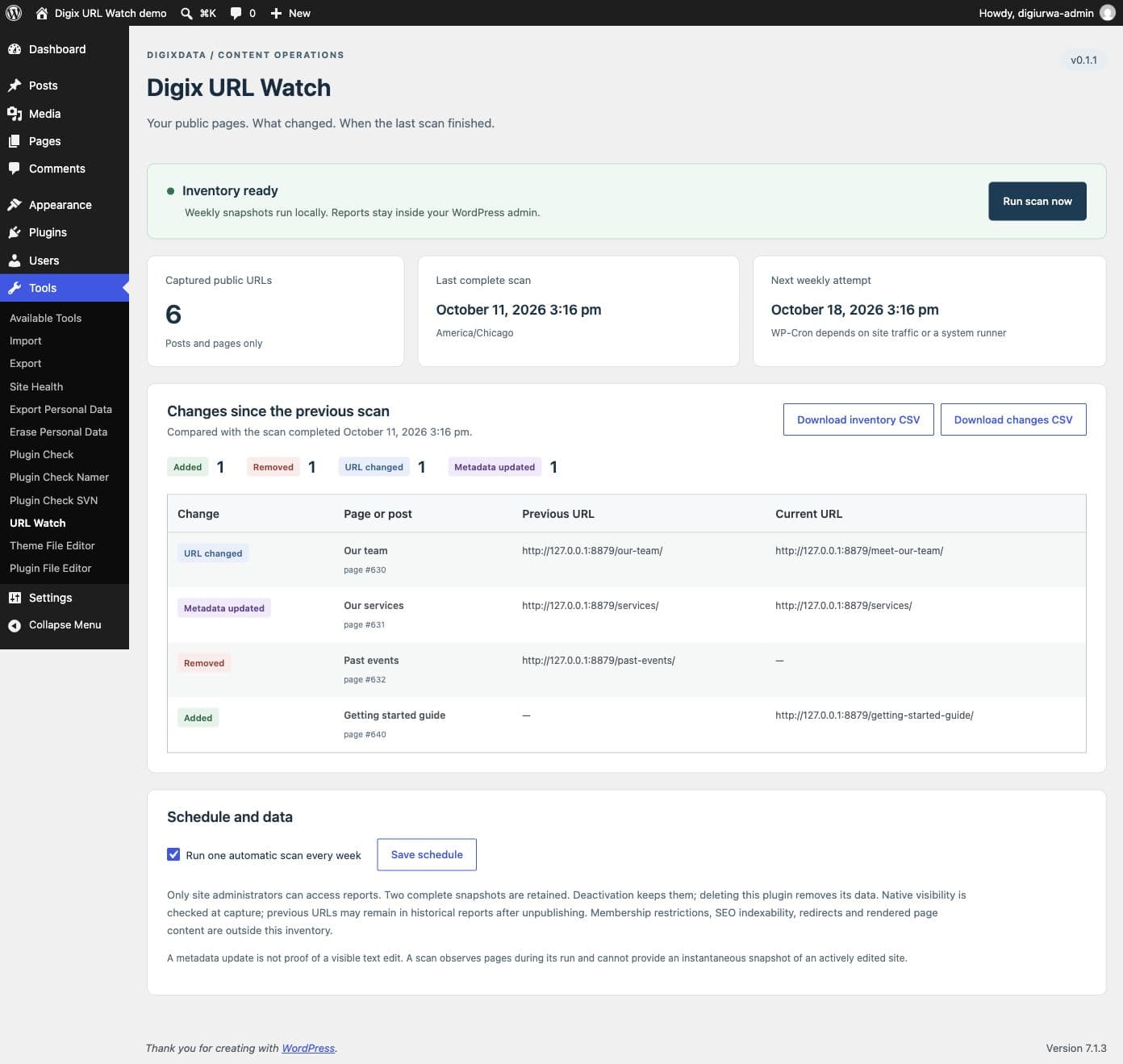
Compare additions, removals, permalink changes and saved metadata between the two latest complete snapshots.
Download administrator-only CSV reports. No account, license key, email delivery or external reporting service.
See the last complete scan, next weekly attempt and delayed or failed work. An incomplete scan preserves your last complete result.
Free and premium
Weekly and manual scans, two complete inventories, change reports, CSV exports and scan health are all included in the Free release. No premium enhancement is currently available.
Getting started
The weekly schedule is enabled on activation. WP-Cron depends on site traffic or a host-managed runner; a scheduled time is an attempt, not a completion guarantee.
Before you install
The first version includes native published posts and pages without passwords. Custom post types, archives, products, orders, membership restrictions, redirects and SEO indexability are outside this inventory. Metadata activity does not prove the visible page text changed.
Post IDs, public titles, URLs, types and modification timestamps are stored locally. Current CSV downloads recheck native visibility; historical change reports can retain previously public metadata after unpublishing. Reports require an administrator capability. No visitor tracking, post bodies or account data are collected by this plugin.
Deactivation keeps the inventory and stops its jobs. Deleting the plugin removes its tables, settings and jobs without changing WordPress content. Previously downloaded CSV and site backups can remain. Multisite is not supported in this release.
WordPress 6.9 or later · PHP 8.2 or later.
The plugin makes no external requests, sends no email and has no telemetry. Read the Product privacy disclosure for access, retention and removal details. Digix URL Watch is licensed under GPLv2 or later; the license included with the plugin governs its use, modification and redistribution.
For installation notes, FAQs and support, visit the WordPress.org listing or contact DigixData. Share versions and synthetic reproduction steps; keep donor details, private URLs and credentials out of public requests.